
Enabling online payments for Nashville restaurants isn’t just a tech upgrade—it’s a growth strategy. When diners can order, prepay, split checks, add tips, buy gift cards, and subscribe to meal plans online, your average ticket increases, table turns improve, and your team wastes less time on the phone.
In Music City’s competitive dining scene—from hot chicken takeout to chef-driven tasting rooms—streamlined checkout is now a baseline expectation.
This comprehensive, updated guide walks you step-by-step through choosing the right payment stack, meeting Tennessee tax obligations, complying with PCI DSS, setting up wallets like Apple Pay and Google Pay, reducing chargebacks with 3-D Secure, enabling ACH and instant payments, optimizing for mobile, and wiring everything into your POS, kitchen ops, and accounting.
You’ll also get implementation checklists, Nashville-specific compliance notes, and growth tactics like subscriptions, catering prepayment, and gift-card programs. Throughout, we’ll keep “online payments for Nashville restaurants” front and center so you can move confidently from plan to production.
The Business Case: Why “Online Payments for Nashville Restaurants” Is Now Essential
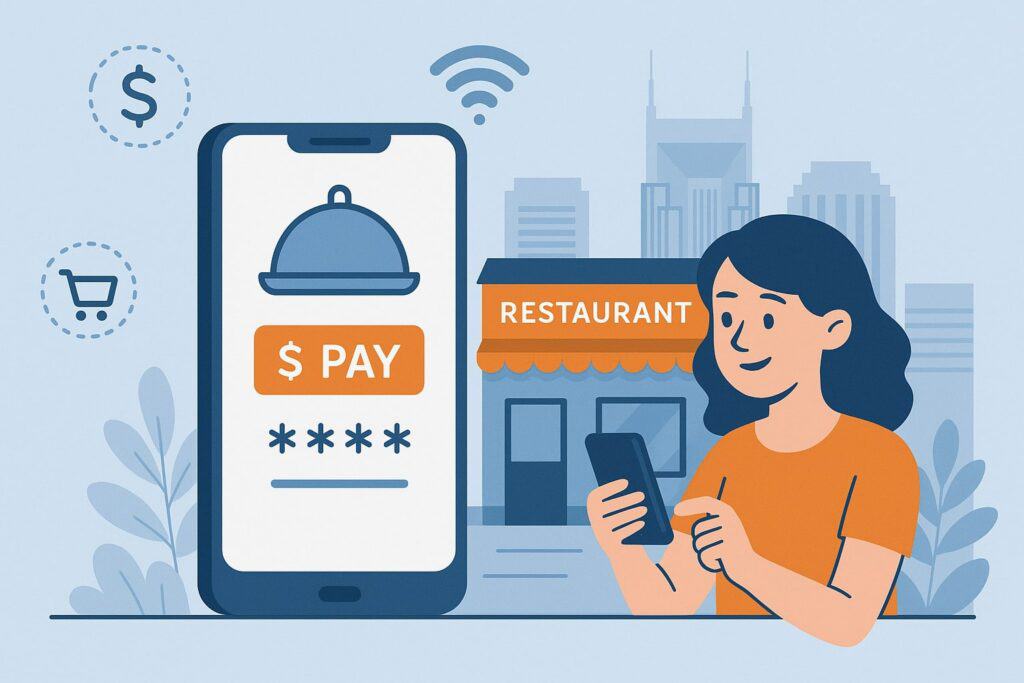
Nashville diners are accustomed to fast, mobile-first flows—think concert tickets, rideshares, and same-day delivery—so they expect the same when ordering dinner.
A modern online checkout does more than accept cards: it increases conversion by cutting steps, stores cards securely for one-tap reorders, supports Apple Pay and Google Pay for speed, and lets guests pre-authorize tabs or buy gift cards without calling the host stand.
Operationally, you’ll spend less time keying phone orders, fewer minutes resolving failed payments, and less energy reconciling fragmented reports from delivery marketplaces.
When you own your first-party ordering and payment data, you can launch targeted SMS offers, show accurate prep times, and keep your margins instead of paying 15–30% commissions elsewhere.
Real-time payments and ACH can lower fees on large catering orders, while tokenized cards-on-file power subscriptions for coffee clubs or family-meal plans.
In short, enabling online payments for Nashville restaurants creates measurable revenue lift and lowers cost to serve—exactly what you need in a tight labor market and a high-demand dining scene.
Regulatory & Tax Basics for Tennessee and Nashville Restaurants
Before turning on online payments for Nashville restaurants, square away state and local obligations. Tennessee requires registration to collect and remit sales tax on taxable transactions.
Restaurants must register for sales and use tax with the Tennessee Department of Revenue and file returns on schedule; this applies to in-person and online orders shipped or delivered within the state.
Prepared food in Tennessee is taxed at the state rate (7%) plus the applicable local rate. In Nashville/Davidson County, prepared food generally falls under the standard state rate plus local add-ons.
The Department of Revenue clarifies that “prepared food” includes items sold hot or heated, food mixed or combined by the seller, or items sold with utensils provided by the seller, with tax applied at the standard rate plus local. Restaurants must apply these combined rates both in-store and online.
You should configure your ordering system to calculate Tennessee state tax and the correct local tax at checkout based on delivery address or pickup location. Keep in mind that state incentives, holidays, or localized rate changes may occur; your cart and gateway should update rates dynamically and itemize taxes on receipts.
If you plan to accept ACH for catering, note that ACH transactions are not exempt from Tennessee tax rules; they’re just a different tender type.
If you test surcharges or service fees to offset card costs, consult counsel and card-brand rules; surcharge legality and disclosure standards vary by state and network, and you must follow state guidance and brand rules if you consider such fees. (Refer to authoritative sources or local counsel before implementing surcharges.)
PCI DSS, Security, and Risk: Foundation for Accepting Cards Online
Security underpins every decision you make about online payments for Nashville restaurants. The Payment Card Industry Data Security Standard (PCI DSS) is the baseline framework for protecting cardholder data.
As of 2024, PCI DSS v3.2.1 was formally retired and PCI DSS v4.0 became the active standard; organizations are expected to meet the new requirements, with full enforcement milestones landing in 2025.
Restaurants using hosted fields or fully hosted checkouts from validated providers dramatically reduce their PCI scope while maintaining a fast user experience.
What does this mean in practice? Use tokenization so card numbers never touch your servers; prefer hosted payment pages or client-side tokenization SDKs. Enforce TLS 1.2+ everywhere.
Apply strong access control to your dashboards and exports, and rotate API keys. Enable address verification (AVS), CVV checks, velocity limits, and risk scoring rules in your gateway. For recurring charges (memberships, coffee clubs), store only tokens, not PANs.
Keep a compliance calendar for quarterly ASV scans (if applicable) and annual SAQ submissions. Finally, pair PCI with a chargeback-prevention plan—e.g., 3-D Secure 2.2 support, device fingerprinting, and dispute webhooks—so finance and the GM can respond quickly when issues arise.
Payment Methods That Convert: Cards, Wallets, ACH, and Instant Rails
The more relevant tenders you support, the higher your conversion. For online payments for Nashville restaurants, consider a default set: major credit/debit cards, Apple Pay and Google Pay, and optional ACH for high-value invoices or catering.
Cards and 3-D Secure 2.2
Support EMV® 3-D Secure (3DS) v2.2 to reduce fraud and gain liability shifts on risky e-commerce transactions. With modern 3DS, most diners pass through a “frictionless flow,” and only risky orders prompt a quick challenge, preserving conversion.
Make sure your gateway supports 3DS decisioning by risk band and by ticket size so you don’t over-challenge low-risk takeout.
Apple Pay / Google Pay
Wallets lift mobile conversion significantly by autofilling card and address details and leveraging device security. Apple provides a comprehensive “Apple Pay on the Web” integration playbook—use it to get your merchant validation domain set up, pass accurate line-item data, and follow UI/brand guidelines in checkout.
Google Pay offers similar SDKs. Wallet buttons should be the first visible call-to-action on mobile product and cart screens.
ACH & Instant Payments
For catering, event deposits, or B2B accounts, ACH lowers fees. If you accept ACH on your website (WEB debits), Nacha requires that first-time routing/account numbers be validated under the WEB Debit Account Validation Rule.
Use bank account verification or micro-deposit services to comply. Instant payments via the Federal Reserve’s FedNow® Service are now live through participating banks.
While not a direct consumer checkout method yet, you can leverage bank partners or platforms that support request-for-payment and instant settlement to reduce risk and speed cash flow.
Architecture: Choosing Your Ordering Platform, Gateway, and POS Integration
For most operators, the ideal online payments setup pairs your existing restaurant POS with a first-party ordering site (or app) and a payment gateway/processor with strong Nashville and Tennessee tax support. When evaluating platforms for online payments for Nashville restaurants, prioritize:
- Tight POS sync — Real-time menu, modifiers, and pricing pulled from your POS; paid orders route to correct stations; gift cards and loyalty balances show everywhere.
- Flexible payment stack — Support for Apple Pay, Google Pay, 3-D Secure, saved cards, ACH for catering, and gift cards.
- Tennessee tax engine — Accurate prepared-food tax rates for pickup and delivery with address-based local tax; itemized receipts and exports.
- Fraud controls — AVS/CVV checks, velocity rules, blocklists, and chargeback APIs.
- Payouts and funding — Daily settlement options, instant payout to debit (if needed), and bank holidays calendar.
- Open APIs and webhooks — So you can automate prep time updates, trigger SMS order-ready messages, sync QBO, and post Z-reports.
Map the flow: Guest builds cart → tax/fees calculated → payment sheet (cards + wallets) → tokenized authorization → POS fire to kitchen + pickup/delivery promises → webhook to accounting and loyalty → captured at out-for-delivery or order acceptance.
For catering, route larger invoices through ACH with validation and optional instant rails. Build for redundancy: if wallets fail, fall back to cards; if gateway incident occurs, switch to a secondary processor using your platform’s smart routing.
Checkout UX: Speed, Trust, and Higher Ticket Sizes
Conversion lives or dies in the last 30 seconds. For online payments for Nashville restaurants, your mobile checkout should load in under two seconds on LTE and display wallet buttons above the fold. Present transparent fees, taxes, and pickup times before payment.
Use progress indicators (e.g., “Review → Pay → Done”) and keep fields minimal—name, email, phone, and optional delivery notes are enough for most pickup orders.
Auto-format phone numbers and credit card entries, provide inline error messages, and default tip presets that match Nashville norms (e.g., 18–22%). If you allow scheduled pickup for post-concert rush, offer time slots; if you offer delivery, integrate accurate distance caps and delivery fees based on zones.
Trust signals matter: display card network badges, wallet logos, and a “Secured by [Gateway]” marker. Support guest checkout with one-tap “save for next time” that tokenizes the card and phone number. For repeat guests, prefill addresses and preferred tips.
For pricey tasting menus or family-meal bundles, consider 3-D Secure on high-risk orders and offer ACH for orders over a threshold to reduce fees.
If you sell alcohol online for pickup, verify age at handoff; if delivering alcohol, follow state and local rules and use ID scanning as required. Employ reCAPTCHA or equivalent on high-risk endpoints to deter bots without slowing real customers.
Taxes, Fees, Tips & Service Charges: Getting Tennessee Right
Getting taxes right is non-negotiable. Configure your system so “prepared food” (most restaurant orders) automatically applies the Tennessee 7% state tax plus the correct local Nashville/Davidson rate. Avoid hard-coding figures; use an engine that updates rates and provides detailed line items on receipts.
Train staff to recognize that the same food sold to-go is still “prepared food” for tax purposes when it meets the definitions (sold heated, mixed/combined, or sold with utensils as defined). Be consistent between in-person and online menus so you don’t introduce tax mismatches.
Tips should be clearly labeled and voluntary; display three sensible presets and a custom option. If you use service fees, explain exactly what the fee covers and whether it’s distributed to staff; keep card-brand rules, state guidance, and transparency top of mind to avoid disputes.
If you explore credit card surcharging to offset costs on card-present vs. online, confirm state law allowances and card-brand requirements before enabling; disclosures must be conspicuous and calculated correctly.
For catering, show an estimate with taxes and fees before payment so corporate clients can get approvals without surprise adjustments later.
Fraud, Chargebacks & Disputes: Prevention First, Playbook Second
Fraud prevention for online payments for Nashville restaurants is about layering controls without crushing conversion. Start with AVS and CVV; require full ZIP match for delivery and apply moderate leniency for pickup.
Enable device fingerprinting and velocity rules (e.g., limit number of tries per card and per IP). Use 3-D Secure selectively on high-risk orders (large tickets, mismatched AVS, unusual hours).
Tokenize cards on file and never store plain PANs. Keep order logs (IP, user agent, timestamps, order notes) so your team can respond quickly to chargebacks.
Build a dispute playbook:
- Reason codes & evidence — For “Product not received,” include POS timestamps, pickup signature/photo, and delivery GPS proof.
- Cutoff policies — Clear cancellation windows and refund logic on the order page reduce “friendly fraud.”
- Rapid response — Assign responsibility (GM or finance) and respond before deadlines through your processor portal.
Monitor dispute rates monthly. If rates spike, tighten rules temporarily, turn on 3DS for more transactions, and audit your UX for confusion that may trigger “I didn’t authorize” claims.
ACH for Catering & House Accounts (Plus Instant Settlement Options)
Many Nashville restaurants serve corporate events, weddings, and festivals. For invoices in the four- to five-figure range, ACH can cut fees meaningfully compared to cards. But with WEB debits, Nacha requires account validation for first-time payers.
Implement micro-deposits or automated bank-account verification services; block obvious mismatches and set sensible retry rules. Publish a clear ACH refund policy and funding timeline so event planners know what to expect.
As banks and platforms expand access to the Federal Reserve’s FedNow Service, you may gain new “instant pay” options—useful for last-minute deposits or weekend settlements—through your bank or payment platform.
Keep messaging tight: present ACH as “Pay by bank—secure, low fee,” show estimated confirmation times, and provide a receipt immediately after authorization.
Apple Pay & Google Pay: Implementing Wallets the Right Way
Wallets are conversion rocket fuel for online payments for Nashville restaurants. On mobile, display wallet buttons on the cart and payment screen. For Apple Pay on the web, complete domain verification, configure merchant IDs, and pass line-item and tax details to the Apple Pay sheet so diners see a transparent total before Face ID/Touch ID.
Respect Apple’s Acceptable Use and UI guidelines; misuse can result in Apple disabling wallet transactions on your site. On Android/Chrome, enable Google Pay through your gateway or directly via the Google Pay API, mapping supported card networks and countries correctly.
In QA, test consent, shipping and pickup flows, discounts, and tipping inside wallet flows, and confirm that tokens return to your gateway properly for capture and refund.
Integrating With Delivery & Pickup Logistics (While Protecting Margins)
Third-party marketplaces can be useful for discovery, but your own first-party online ordering should be the profit center. Route paid orders into your kitchen display system with accurate prep times based on order volume.
Use curbside pickup geofencing or “I’m here” SMS to speed handoff. For delivery, integrate courier APIs or a local fleet and set distance-based fees that reflect your costs. Add ID verification at handoff when selling age-restricted items.
Keep your refund/cancellation policy consistent across channels; publish it at checkout. Sync all online payments for Nashville restaurants to your accounting system nightly, and reconcile payouts by tender type (cards, wallets, ACH) to catch processor or bank errors early.
Data, Reporting, and Daily Ops: Make the Numbers Work for You
Online payments generate a goldmine of data: customer identifiers (email/phone), tokens for reorders, item-level sales, and payment outcomes. Set up dashboards that show authorization rate by device, chargebacks by menu category, and average tip by time of day.
Track abandoned carts; a simple SMS or email reminder can recover sales. Export tax reports with state and local tax broken out so filing is straightforward.
Configure automated end-of-day reconciliations: payout report → bank deposit → POS net sales, and investigate deltas over a threshold. Keep tokens and receipts long enough to win disputes but purge PII you don’t need—privacy is part of trust.
Launch Checklist: From Sandbox to Your First Nashville Order
Use this operational checklist to take online payments for Nashville restaurants from “idea” to “in production”:
- Business setup: Tennessee sales tax registration complete; rates configured for prepared food (state + local).
- Platform: POS integration verified; menu/modifiers synced; taxes correct for pickup vs. delivery.
- Payments: Cards, Apple Pay, Google Pay enabled; 3-D Secure rules tuned; ACH configured for catering with account validation.
- Security: PCI scope minimized with hosted fields/pages; TLS checked; keys rotated; SAQ assigned; ASV scanning (if applicable).
- Fraud & disputes: AVS/CVV, velocity rules, blocklists; dispute webhooks and evidence templates ready.
- UX: Mobile first; wallet buttons above the fold; transparent totals; accessible forms; clear tip presets.
- Ops: KDS routing; SMS for pickup; delivery zones/fees; refund and cancellation policies published.
- Reporting: Payout reconciliation; tax exports; daily settlement checks; abandoned cart recovery.
- Go-live: Staff training; test orders on Wi-Fi and cellular; real-time monitoring on launch night.
- Iterate: Review conversion, auth rate, and chargebacks after week one; adjust 3DS and risk settings.
Advanced Revenue Plays: Gift Cards, Subscriptions, Catering & Events
Once the basics are live, expand your “online payments for Nashville restaurants” strategy. Offer digital gift cards with instant delivery and POS redemption; they boost cash flow and drive acquisition.
Launch subscriptions—coffee clubs, weekly family meals, or chef’s-choice boxes—billing stored tokens on a set schedule with skip/pause controls. For corporate catering, publish a menu with instant quotes, deposits via ACH, and e-signed agreements. Tie loyalty to spend, not just visits, so online and in-store purchases build status and rewards.
For special events (e.g., pre-concert seatings), sell prepaid prix fixe tickets with limited inventory, reducing no-shows and smoothing the kitchen curve. Combine all of this with segmented SMS/email marketing and wallet passes for offers that scan at pickup.
Compliance Corner: Keep It Current in Tennessee
Compliance isn’t a one-and-done. Re-check Tennessee Department of Revenue updates on food tax, registration, and filing. Validate that your system still calculates the correct combined rate for prepared food in Nashville/Davidson County.
Keep PCI DSS changes on your radar—especially deadlines that make more v4.0 controls mandatory—and ensure your provider’s AoC/attestations are current. For ACH, continue to comply with Nacha’s WEB Debit Account Validation Rule and any enhancements that impact merchant verification or fraud tools.
Keep an eye on instant-payment developments through the Federal Reserve and your bank or processor so you can offer faster funding as options expand.
FAQs
Q1) Do I need a Tennessee sales tax permit to accept online orders for pickup or delivery in Nashville?
Answer: Yes. If you’re making taxable sales in Tennessee, you must register, collect, and remit sales tax. Online orders are treated like any other taxable sale, with “prepared food” taxed at the state rate plus applicable local rate.
Configure your checkout to calculate the combined rate accurately for pickup and delivery within Nashville/Davidson County.
Q2) What’s the fastest way to improve mobile conversion?
Answer: Add Apple Pay and Google Pay, keep the checkout to one page, show transparent taxes/fees before payment, and place wallet buttons above the fold. Pair this with selective 3-D Secure 2.2 on higher-risk orders so fraud prevention doesn’t slow trusted guests.
Q3) Is PCI DSS hard if I never touch raw card numbers?
Answer: Using a hosted payment page or tokenized client-side SDK drastically reduces scope. You’ll still complete the appropriate SAQ, maintain secure configurations, and follow provider guidance, but your exposure and workload are far lower than building your own card vault. Track PCI DSS v4.0 timelines and your provider’s attestations.
Q4) Can I accept ACH for catering orders?
Answer: Yes, and it can save fees. If you initiate ACH debits online (WEB), Nacha requires first-time account validation. Implement micro-deposits or bank-account verification. Explain timelines clearly; consider instant-payment options via your bank as FedNow adoption grows.
Q5) Should I add a credit card surcharge online?
Answer: This is sensitive. You must comply with Tennessee law and card-brand rules, including disclosure, caps, and signage/notice requirements where applicable.
Because rules evolve, consult counsel and your processor before adding surcharges online. Consider service-fee alternatives that comply with brand guidance and emphasize transparency to diners.
Q6) How do I lower chargebacks without hurting conversion?
Answer: Layer defenses: AVS/CVV, device fingerprinting, and velocity limits; use 3-D Secure on risky orders; send order-ready messages and keep precise pickup/delivery proof. Publish an easy cancellation policy and respond to disputes quickly with proper evidence.
Q7) Are instant payments useful for restaurants?
Answer: Yes—primarily for cash-flow. You may not expose FedNow directly to diners, but your processor or bank can use it to speed settlements or enable instant disbursements. That means weekend deposits arrive sooner, improving liquidity for payroll and inventory.
Conclusion
Enabling online payments for Nashville restaurants is a strategic upgrade that drives revenue, reduces friction, and unlocks new business models.
Start by registering properly for Tennessee tax and configuring prepared-food rates; reduce PCI scope with hosted, tokenized checkout; enable Apple Pay and Google Pay; add selective 3-D Secure for fraud reduction; and adopt ACH—plus instant rails via your bank—for large orders and better cash flow.
Integrate tightly with your POS and kitchen, keep UX lightning-fast on mobile, and publish clear tip, fee, and cancellation policies to prevent disputes. Finally, treat reporting and reconciliation as daily rituals so you catch issues early and optimize continuously.
With this blueprint, your first-party channel becomes a dependable profit engine—and your guests get a fast, secure, delightful way to order from their favorite Nashville restaurant.