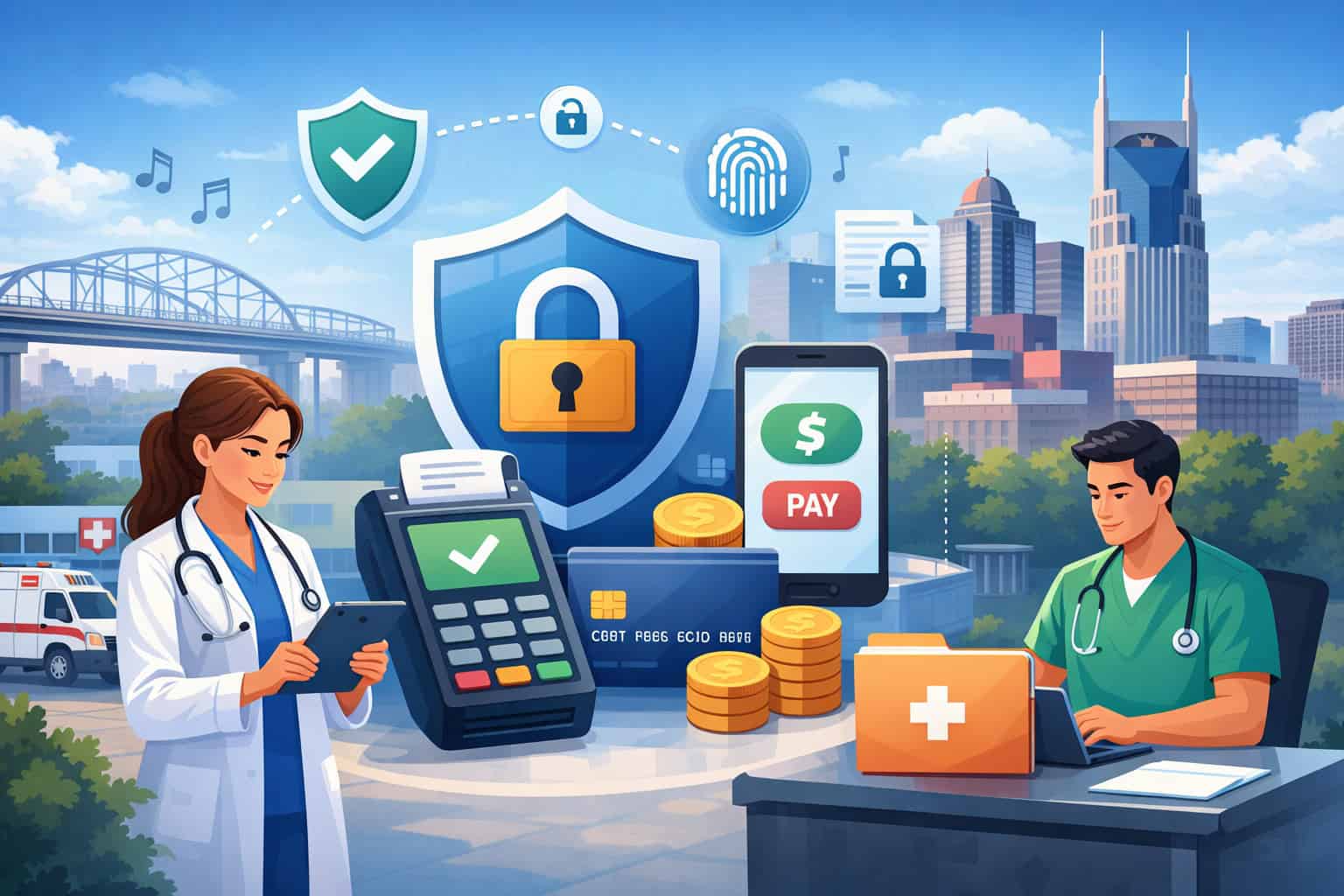
A patient’s payment experience is no longer a small back-office detail for Nashville clinics, dental offices, therapy practices, urgent care centers, and specialty providers. It is part of how people judge professionalism, trust, and reliability from the moment they check in to the moment they settle a balance.
When payment handling feels secure, organized, and respectful, patients feel more comfortable doing business with your practice. When it feels rushed, confusing, or exposed, confidence drops quickly.
That matters even more in healthcare because medical practices do not operate like ordinary storefronts. They often manage a mix of sensitive information, card-not-present transactions, recurring payment plans, insurance-related balances, and front-desk collections.
A busy waiting room, a ringing phone, a rushed checkout, and a patient with billing questions can all create openings for mistakes if payment workflows are not tightly controlled.
For Nashville healthcare offices, payment security is about more than preventing fraud. It is also about protecting patient payment information, reducing staff errors, supporting smoother collections, maintaining operational discipline, and keeping patients comfortable with modern payment methods.
Good systems can help you accept in-person, online, mobile, and recurring payments without turning the checkout experience into a burden for staff or patients.
This guide explains Payment Security for Nashville Healthcare Practices in a practical way. It covers the major risks, the tools that matter most, the differences between healthcare payments and standard retail transactions, and the steps practice owners and administrators can take to build a safer, more reliable patient payment workflow.
Why payment security matters so much in healthcare settings
Healthcare offices collect money in circumstances that are often more sensitive than ordinary business transactions. A patient may be paying a copay at check-in, a deductible after treatment, a balance for cosmetic dentistry, a therapy package, or a recurring plan for ongoing care.
In every case, the practice is being trusted not only with a card payment, but with a moment that may already feel stressful or personal.
That is why payment security for healthcare practices Nashville offices rely on should be treated as part of the patient experience, not just an IT issue.
When payment systems are inconsistent, staff may start writing card information down, emailing details, rekeying payments into multiple systems, or storing too much information in the wrong places. Those workarounds may feel helpful in the moment, but they increase risk dramatically.
For patient-facing practices in Nashville, secure payment handling also helps reduce friction in day-to-day operations. A protected, well-designed payment process can:
- Lower the risk of card data exposure
- Reduce chargebacks and disputed transactions
- Help staff process payments more consistently
- Improve collections from patient balances
- Support better documentation and accountability
- Strengthen patient trust at the front desk and online
Healthcare payment security Nashville practices need also affects reputation. Patients remember how your office handles money. If receipts are unclear, links feel suspicious, cards are manually keyed too often, or balances are discussed carelessly at the front desk, people may not complain directly. They may simply leave with a weaker sense of trust.
Why patient trust is directly tied to payment handling
Patients often assume a healthcare office has strong systems in place. They expect their provider to be careful with all sensitive information, including payment details. That means even small payment mistakes can feel larger in a medical setting than they would in a general retail business.
Imagine a patient in a Nashville urgent care center who is handed a clipboard with visible payment details from a previous patient, or a therapy client who receives an unsecured text asking them to call with a full card number. Even if no fraud occurs, the office has already created uncertainty. That uncertainty can damage confidence in the practice as a whole.
Trust is also built through consistency. Patients notice when the card terminal works smoothly, when online bill pay looks legitimate, when digital receipts arrive promptly, and when staff can explain payment options without confusion.
Secure card payments for healthcare providers should feel routine and polished. The more stable and professional the workflow is, the less likely patients are to hesitate when it is time to pay.
Why healthcare offices face different pressure than other local businesses
A healthcare practice in Nashville is often collecting payments under time pressure. Front-desk teams may be juggling insurance questions, eligibility verification, intake paperwork, schedule delays, and incoming calls.
Unlike a boutique store, the staff is not only focused on checkout. Payment collection is just one piece of a much more complex patient interaction.
That complexity creates risk. The front desk may rush patients through the terminal. A billing coordinator may be asked to take a phone payment while helping another patient. A practice manager may allow broad access to a virtual terminal because it feels convenient during busy periods. Over time, those shortcuts become habits.
Healthcare merchant services security matters because these practices are not just moving payments through a register. They are managing a high-trust environment where privacy, accuracy, empathy, and speed all intersect.
That is why medical offices benefit from payment systems designed for role-based access, tokenized card-on-file options, and simple reporting that reduces guesswork.
How healthcare payment processing differs from general retail payment processing

A local retail store usually processes payments in a fairly straightforward way. A customer chooses an item, pays at checkout, and leaves. In healthcare, the payment journey is rarely that simple.
There may be insurance estimates, partial collections, delayed billing, package plans, missed appointments, recurring balances, or patient financing discussions. That difference is one reason secure payment processing for medical offices requires more thoughtful controls than a standard retail setup.
In a healthcare office, the person taking the payment may also be answering medical intake questions or checking a patient in for an appointment.
Transactions may happen before service, after service, over the phone, through a portal, through a text link, or through a mailed statement. Some patients want cards on file for convenience. Others prefer online bill pay later. That means practices need payment tools that work securely across multiple touchpoints.
Another major difference is discretion. In retail, the payment interaction is usually public and expected. In healthcare, discussing balances too openly can make patients uncomfortable. Practices need systems that allow secure, low-friction transactions without exposing too much information at the desk.
For Nashville healthcare payment compliance, it helps to separate retail-like habits from healthcare-appropriate workflows. Just because a process works in a salon or gift shop does not mean it fits a medical office. Healthcare payment systems should support flexibility without encouraging risky staff shortcuts.
Common healthcare payment scenarios that create extra risk
A healthcare practice may accept all of the following in a single week:
- Copays at check-in
- Same-day balances after treatment
- Phone payments for statements
- Payment plans for larger procedures
- Card-on-file billing for recurring services
- Online portal payments after insurance adjudication
- Text-to-pay links for outstanding balances
Each of those scenarios introduces different levels of exposure. A card-present EMV transaction at the desk is not the same risk as manually entering card details into a virtual terminal from a voicemail or handwritten note. A recurring billing arrangement for orthodontics or therapy sessions needs stronger controls than a one-time over-the-counter payment.
This is why payment data protection for clinics requires both technology and process design. You cannot solve all risks by buying better hardware. You also need rules for who can access payment tools, how card-on-file consent is handled, how phone payments are taken, and how staff communicate payment instructions to patients.
Why payment workflows in healthcare tend to spread across more systems
Retail businesses often run most payment activities through one POS environment. Healthcare offices may not. A practice might use a practice management platform, a patient portal, a payment gateway, a virtual terminal, standalone front-desk terminals, and billing software. If those tools are not well coordinated, gaps can appear quickly.
For example, the office may have one secure workflow for in-person payments but a weaker process for text-to-pay requests. Or the billing department may store information differently from the front desk. Multi-system environments are not automatically unsafe, but they require stronger oversight.
Practices should map where payment data is collected, where it travels, and who touches it. Once you understand the flow, it becomes much easier to reduce unnecessary exposure and choose better controls.
Common payment security risks in healthcare environments
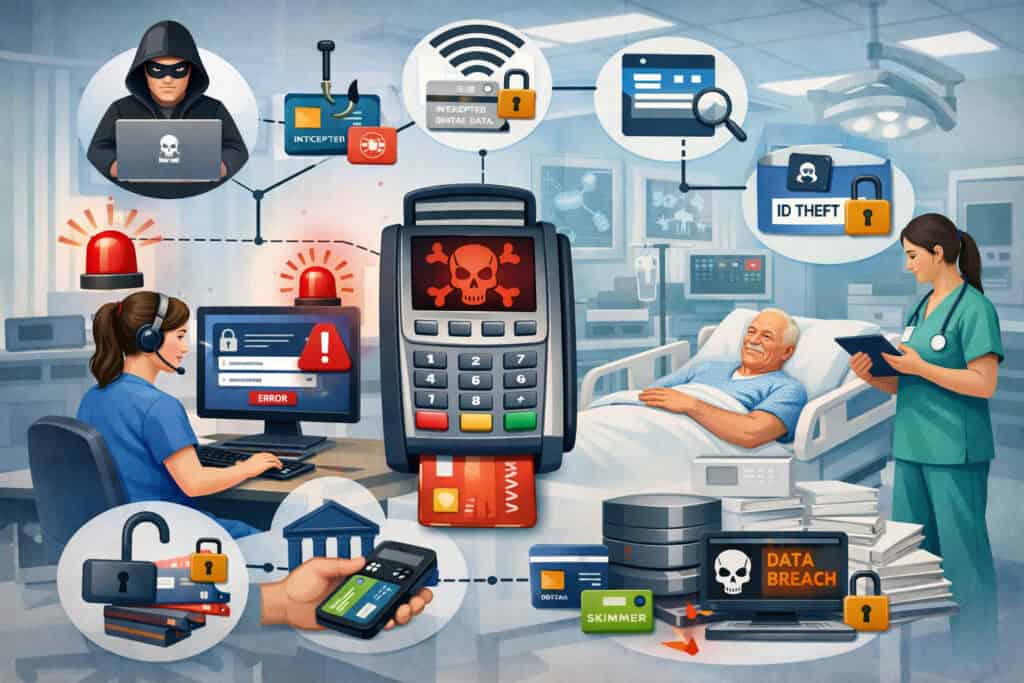
The biggest payment security threats in a healthcare office are not always dramatic cyber incidents. Many are routine human errors, weak habits, or outdated tools that create avoidable exposure.
Payment security for Nashville Healthcare Practices improves when leaders understand how risk shows up in daily operations, not just in worst-case scenarios.
One of the most common problems is overreliance on manual entry. When a card cannot be tapped or inserted, staff may key it in. When a patient calls with payment information, the team may type it into a virtual terminal. Manual entry is sometimes necessary, but offices that do it too often increase risk and make fraud disputes harder to defend.
Another major issue is uncontrolled access. If too many employees can use the same payment login, view too much billing data, or refund transactions without review, security is weaker than it appears. Shared credentials, open browser sessions, and unlocked desks all create opportunities for internal mistakes or misuse.
Outdated hardware is also a problem. Older payment terminals may not support modern EMV or contactless workflows as well as newer devices do. Nashville practices that want a stronger foundation should understand how EMV compliance for local businesses and secure terminal configuration help reduce counterfeit card risk and improve in-person payment handling.
Everyday risks that are easy to overlook
Healthcare teams are often focused on patient care and scheduling, so seemingly small payment shortcuts can go unnoticed. Common examples include:
- Writing card details on sticky notes or intake forms
- Keeping printed receipts with too much visible data
- Asking patients to email payment information
- Using shared virtual terminal logins
- Leaving terminals unattended in open areas
- Storing card data without a clear need
- Letting staff process refunds without approval
- Clicking suspicious payment-related emails or fake invoices
These are not rare issues. They are typical weak points in busy offices. A Nashville dental practice, for example, may collect deposits for larger procedures and keep cards on file for remaining balances. If the office has no written rules for who can access stored payment credentials or when to remove them, risk grows quietly in the background.
External threats and fraud patterns healthcare offices should watch
Healthcare practices can also face more classic fraud issues. These may include stolen card use, phishing messages aimed at billing staff, account takeover attempts on patient portals, and chargeback abuse. Online and remote payments can be especially vulnerable if the office sends generic-looking links or uses inconsistent patient verification steps.
A therapy center, for instance, may rely heavily on recurring payments and emailed invoices. If the practice uses weak authentication or poorly branded payment links, patients may hesitate to pay or fall for spoofed messages pretending to be the office. A smoother, more secure payment experience reduces both fraud and confusion.
Fraud monitoring, tokenization, and better patient communication can all help here. Offices should also watch for unusual transaction patterns, repeated failed attempts, or refunds that do not match normal behavior.
Protecting patient payment information at every stage
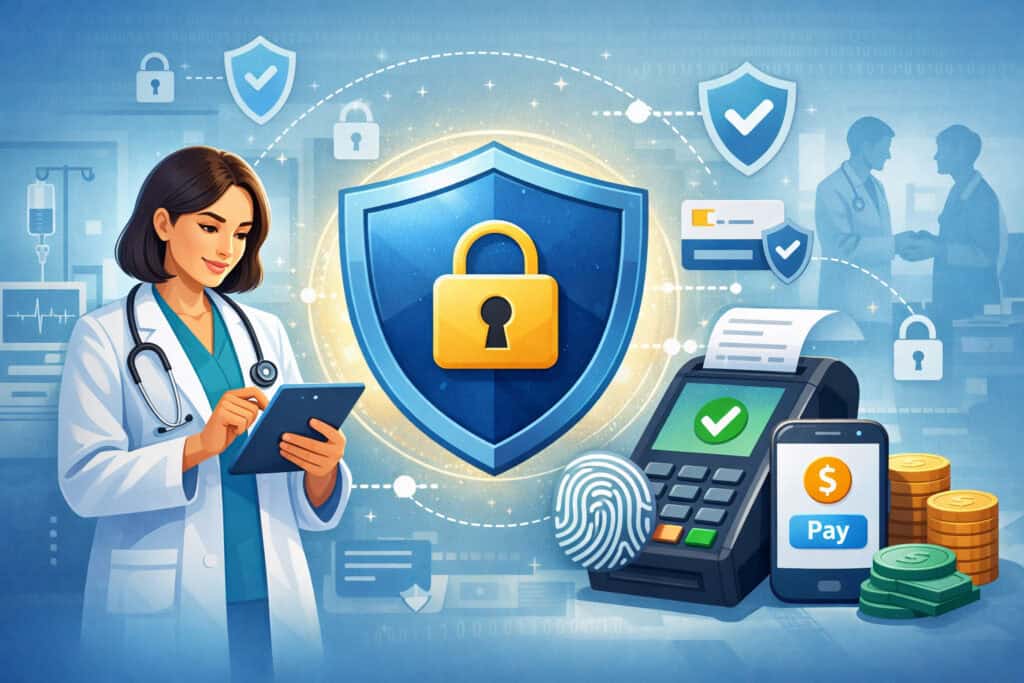
Patient payment security starts long before a transaction is approved. It begins with how the office collects payment details, how long it keeps them, who can access them, and what systems are used to move that information. The goal should be simple: reduce the amount of sensitive payment data your practice handles directly whenever possible.
That principle matters because the more places payment information appears, the harder it becomes to protect. A secure card terminal is useful, but it is not enough if the same office also stores card details in notes, accepts them through unsecured messages, and gives broad portal access to too many employees.
For payment security for healthcare practices Nashville offices depend on, the safest approach is usually to limit exposure at each stage:
- Collect payment details through trusted channels only
- Use secure devices and portals rather than improvised methods
- Avoid storing full card data unless there is a clear operational reason
- Restrict access by role
- Monitor who processes payments, adjustments, and refunds
- Remove outdated payment methods when no longer needed
Practices should think of patient payment protection as a workflow issue, not just a software feature. A strong system with weak staff habits can still create major problems.
Storing payment information safely
Many healthcare offices want card-on-file functionality for convenience, especially when collecting balances after insurance processing or setting up recurring payments. That can be a practical option, but it should be handled through tokenized systems rather than casual storage methods.
Tokenization replaces sensitive card data with a non-sensitive substitute that can be used for future billing. This allows the office to process follow-up payments without exposing full card details to staff. It is a much safer option than keeping card numbers in spreadsheets, notes, or loosely controlled software fields.
A small Nashville private practice may assume it is safe because only one or two trusted employees handle billing. But security should not depend on trust alone. Staff can make mistakes, accounts can be compromised, and turnover happens. The more structured the storage approach is, the better.
Reducing exposure during transmission and processing
Payment information is also at risk when it is transmitted or processed. That includes phone payments, online bill pay, text-to-pay links, patient portal payments, and recurring billing instructions. Practices should use secure, established payment channels instead of asking patients to send details through email or regular text messages.
Encryption helps protect data in transit. Access controls help prevent unauthorized use once it reaches your systems. Fraud monitoring can catch unusual activity before it turns into a bigger issue. Together, these tools form a layered defense that is far more effective than relying on one single safeguard.
Practices that want a stronger foundation may benefit from reviewing broader PCI compliance guidance for Nashville merchants, especially around limiting access, encrypting data, and maintaining secure procedures.
Secure payment options for in-person, online, mobile, and recurring healthcare payments
Healthcare offices today need more than one way to get paid. Patients expect flexibility. Some want to insert or tap a card at the front desk. Others prefer to pay from home through a portal or a secure link. Some need recurring billing for treatment plans. The challenge is making all of those options available without weakening security.
In-person payments remain essential for many practices. For those, EMV-ready terminals and contactless options are the starting point.
Chip and tap transactions reduce exposure compared with frequent manual entry, and newer devices are often easier for patients to use quickly and privately. Secure card payments for healthcare providers should feel intuitive, especially in a fast-moving office.
Online bill pay is also increasingly important for post-visit balances. Patients often prefer to review a statement, confirm details, and pay later from a secure device. A legitimate, well-branded payment page can improve both security and collections because patients are more likely to trust and complete the payment.
Text-to-pay can be effective when used carefully. It should direct patients to a secure payment page, not ask them to reply with sensitive information. Recurring billing should run through tokenized systems with clear patient authorization and consistent internal controls.
For a practical view of how local businesses evaluate secure providers and payment tools, Nashville offices may also find it useful to review guidance on choosing a payment processor in Nashville. That discussion highlights role-based access, tokenization, fraud prevention, and workflow fit that matter in healthcare settings too.
Payment terminals, virtual terminals, portals, and text-to-pay explained simply
Here is a simple way to think about the main tools many medical offices use:
| Payment Tool | What It Does | Best Use in Healthcare | Main Security Consideration |
| Countertop or wireless terminal | Accepts chip, tap, or swipe payments in person | Copays, balances at checkout, same-day treatment payments | Keep devices updated, secured, and limited to trained staff |
| Virtual terminal | Lets staff key in card payments from a computer | Phone payments, occasional remote billing | Restrict access tightly and avoid unnecessary manual entry |
| Online bill pay page | Lets patients pay from a secure website | Statement balances, after-hours payments, self-service billing | Use trusted branded pages and avoid generic-looking links |
| Patient portal payments | Allows payment inside the patient account environment | Existing patients reviewing balances and records | Maintain strong access controls and secure login practices |
| Text-to-pay | Sends a secure payment link by text | Faster collections on small balances or follow-up invoices | Never request card data through plain text |
| Recurring billing | Charges an approved payment method on a schedule | Membership-style care plans, therapy packages, orthodontic plans | Use tokenization, written consent, and billing alerts |
Matching payment methods to patient expectations
Different practice types often benefit from different payment mixes. A pediatric clinic may see heavy front-desk traffic and rely more on fast in-person copay collection. A specialist office may collect more after-insurance balances online.
A therapy practice may lean on recurring billing or stored payment methods. A multi-location urgent care group may need consistent terminal and reporting standards across several sites.
The key is choosing secure payment processing for medical offices based on actual patient behavior, not just convenience for the practice. When payment options match how patients prefer to pay, staff are less likely to create unsafe workarounds.
Core security tools healthcare practices should understand
Payment security can sound technical, but the main tools are easier to understand than many practice owners expect. You do not need to be a cybersecurity expert to make smart decisions. You just need to know what each tool does and where it fits into your workflow.
Encryption protects payment data while it is being transmitted. Tokenization replaces card details with a secure stand-in for later use. EMV helps secure in-person chip transactions and reduce certain types of card-present fraud.
PCI compliance refers to a security framework for protecting card data and maintaining safer payment environments. Access controls determine who can do what inside your systems. Fraud monitoring helps spot abnormal behavior before it becomes a bigger problem.
Healthcare merchant services security works best when these tools are combined. None of them solves every problem on its own. A tokenized card-on-file feature does not help much if ten employees share one admin login. A secure terminal does not fix a billing team that takes card details through unsecured channels.
What encryption, tokenization, and EMV do in practical terms
Encryption is useful anytime payment data moves from one place to another. For example, when a patient enters card information on a secure payment page or when a terminal sends transaction data for authorization, encryption helps make that information unreadable to unauthorized parties during transmission.
Tokenization matters most when the office needs future-use convenience. If a dental office wants to charge a final balance after insurance, tokenization lets the practice keep a usable reference instead of storing the actual card number. That reduces exposure significantly.
EMV is especially important for in-person payments. Chip-based transactions are generally more secure than relying on magnetic stripe swipes. For patient-facing medical businesses, that makes EMV-ready equipment a practical baseline, not an optional upgrade.
Nashville businesses evaluating terminals and device readiness can learn from local discussions around secure payment processing products and services and EMV-capable hardware support.
Why access controls and fraud monitoring matter just as much
Technology features often get most of the attention, but access controls are just as important. In many offices, the biggest real-world risk is not the hardware.
There is too much employee access. A front-desk coordinator may need to accept payments, but not issue refunds above a certain amount. A billing specialist may need virtual terminal access, but not admin-level reporting privileges.
Role-based permissions help reduce both mistakes and misuse. They also make training clearer because each staff member only sees the tools relevant to their responsibilities.
Fraud monitoring adds another layer by watching for suspicious behavior such as unusual transaction amounts, repeated declines, odd refund activity, or changes in payment patterns. This is especially helpful for practices that accept high volumes of remote payments.
Compliance-related considerations without stepping into legal advice
Healthcare practices often hear about compliance in fragmented ways. One person mentions payment card rules. Another talks about privacy obligations. A vendor promises a “compliant” system without explaining what that actually means. As a result, many offices feel unsure about what they truly need to do.
A practical way to think about Nashville healthcare payment compliance is this: your practice should aim to collect, process, store, and control payment information in a disciplined way that reduces unnecessary exposure and supports recognized security standards.
That means using secure payment tools, restricting access, documenting workflows, training staff, and avoiding improvised methods that place card data in the wrong places.
Practices should not treat compliance as a once-and-done checklist. It is an ongoing operational discipline. Systems change, staff changes, payment channels expand, and old shortcuts can resurface. A practice that was reasonably secure two years ago may now have portal payments, text-to-pay, and multiple remote users that introduce entirely new risks.
PCI-related requirements are especially relevant for offices that accept card payments. Local guidance for merchants emphasizes limiting cardholder data exposure, keeping systems secure, and reviewing policies regularly.
Why healthcare offices should avoid blending payment data into other records
One important principle is separation. Payment information should be handled through secure payment systems, not loosely mixed into general notes, intake forms, or staff email threads. When practices blur those lines, they create confusion about what is stored where and who can see it.
For example, a specialist clinic might note in an appointment comment that a patient wants “the Visa ending in 2041 charged after claim review.” That may seem helpful, but comments fields often have broader visibility than billing tools. Good payment workflows reduce the need for this kind of workaround.
Keeping payment handling inside approved systems also makes training easier. Staff learn where payments belong, how to process them, and what not to do.
Why policies and documentation still matter for small practices
Small healthcare offices sometimes assume written procedures are only for larger organizations. In reality, a compact office may benefit even more from simple documentation because the staff is wearing many hats and shortcuts can become routine quickly.
Policies do not need to be complicated. They can cover issues such as:
- Who may accept phone payments
- Who may access the virtual terminal
- When cards may be stored on file
- How refunds are approved
- How patients receive secure payment links
- What staff should never request through email or text
- What to do if a device seems compromised
Simple rules reduce ambiguity and help practices respond more consistently when something unusual happens.
Best practices for front-desk staff, billing teams, and administrators
Even the best payment platform can be weakened by inconsistent staff behavior. That is why patient payment security depends heavily on training and role clarity. In a healthcare office, the people interacting with payments are often not security specialists.
They are receptionists, billing coordinators, office managers, and administrators trying to keep the day moving. The workflow has to support them.
Front-desk teams should be trained to encourage chip or tap payments whenever possible, protect privacy during balance discussions, avoid writing down card numbers, and know exactly how to direct patients to secure payment options.
Billing staff should understand how to use the virtual terminal safely, how recurring authorizations are documented, and how to identify suspicious payment behavior. Administrators should manage permissions, review reports, and monitor policy adherence.
A secure system is usually one where responsibilities are clearly divided. Staff should not all have the same level of access. Payment workflows should be easy to repeat, easy to audit, and easy to explain.
Front-desk habits that reduce risk immediately
The front desk is one of the most important control points in any patient-facing office. Good habits include:
- Positioning payment terminals so patients can use them directly
- Avoiding loud balance discussions in open waiting areas
- Encouraging secure self-entry rather than staff handling the card
- Locking workstations when stepping away
- Following a script for explaining online or text payment options
- Referring unusual payment requests to authorized billing staff
These habits protect both privacy and payment data. They also make the office feel more organized and respectful.
Billing and admin practices that strengthen oversight
Billing and administrative teams should focus on consistency and visibility. Helpful practices include:
- Reviewing refund and void activity regularly
- Removing access promptly when staff roles change
- Auditing card-on-file practices
- Monitoring failed transactions and repeated manual entry
- Checking that text-to-pay and portal links look legitimate and current
- Keeping hardware and software updated
These are not glamorous tasks, but they are often what separates a disciplined payment environment from a risky one.
How to evaluate a secure payment processor for a healthcare office
Choosing a processor for a healthcare office is not just about rates. Cost matters, but security fit matters more. A low-cost setup that pushes staff toward manual entry, shared logins, or unclear reporting can become expensive in all the wrong ways.
When comparing providers, Nashville healthcare practices should look for secure, healthcare-friendly capabilities such as:
- EMV and contactless support
- Tokenized card-on-file options
- Virtual terminal controls
- Secure online bill pay
- Text-to-pay or pay-by-link tools
- Role-based permissions
- Reporting for refunds, voids, and user activity
- Reliable support during implementation and troubleshooting
The provider should also be able to explain how the system handles payment data, how staff access is managed, and what features help reduce fraud or unnecessary exposure. If explanations are vague, that is a warning sign.
Local businesses comparing options often focus on transparency, PCI support, fraud prevention, and workflow fit rather than headline pricing alone. That same logic applies strongly in medical offices.
Questions healthcare practices should ask before signing
A practice manager or administrator should ask practical questions such as:
- Can we use tokenized card-on-file billing instead of storing card details ourselves?
- How do user permissions work for front desk, billing, and admin roles?
- What controls exist for refunds and manual entry?
- How are text and online payment links secured?
- What reporting helps us review unusual activity?
- How does the system support recurring billing and patient balances?
- What happens if a terminal fails during clinic hours?
- How will this integrate with our existing patient payment workflow?
The quality of the answers often matters as much as the answers themselves. A provider that can explain the workflow clearly is usually easier to work with long term.
Red flags that suggest a poor fit
Be cautious if a payment solution:
- Encourages too much manual entry
- Makes all users admins by default
- Offers weak or confusing reporting
- Cannot explain tokenization clearly
- Has no clear support for remote or recurring payments
- Uses generic-looking payment links that may concern patients
- Leaves too much security work entirely to your staff
A healthcare office needs more than a generic checkout tool. It needs a system that can support secure payment processing for medical offices without creating constant workarounds.
Small practices versus multi-location healthcare groups
A solo clinic and a multi-location healthcare group do not face identical payment security challenges. Small practices usually deal with limited staff, limited time, and fewer formal processes. Larger groups face more complexity, more users, more systems, and more locations where payment habits can drift apart.
A small Nashville practice may think its size protects it. In some ways, fewer people means fewer access points. But small teams also tend to rely heavily on trust and memory instead of formal controls. One office manager may know everything, and that can become a weakness if no one else understands the payment process or if too many shortcuts depend on one person.
Multi-location groups have the opposite problem. They often have better systems on paper, but inconsistency across sites creates risk. One office may follow card-on-file rules closely while another keys payments manually far too often. One location may update devices promptly while another falls behind.
Payment security for healthcare practices Nashville organizations need should match their scale. Small offices usually need simplicity, clarity, and disciplined basics. Larger groups need standardization, permission structure, reporting, and cross-location oversight.
What small practices should prioritize first
Small offices often get the most value from fixing fundamentals:
- Use modern EMV-ready terminals
- Stop writing or loosely storing card data
- Limit virtual terminal access
- Use secure online payment options
- Create simple written payment procedures
- Train every staff member on what not to do
These changes can dramatically improve healthcare payment security Nashville small practices need without requiring a huge technology overhaul.
What multi-location groups should prioritize
Larger organizations should pay close attention to governance. That includes standardized workflows, consistent permissions, regular audits, shared reporting, and location-by-location training. Multi-site groups should also review whether every office is using the same approved channels for online payments, text-to-pay, recurring billing, and refund handling.
Without that consistency, one weak site can undermine the broader organization.
Common mistakes healthcare practices make with payment security
Many payment security issues do not come from bad intentions. They come from convenience. Staff wants to help a patient quickly, close out the day, reduce friction, or avoid a callback. But in healthcare, those convenience-driven shortcuts often create long-term risk.
One common mistake is storing too much information simply because it may be useful later. Another is using unsecured communication methods for payment coordination. Practices also make mistakes by giving too many people access to payment tools, failing to review refund activity, or assuming that because there has not been a problem yet, the process must be safe.
Some offices also underestimate the patient experience side of security. If your online bill pay page looks disconnected from your brand or your text-to-pay message feels generic, patients may delay payment because they are unsure whether the request is legitimate. Security and trust go hand in hand.
Mistakes that quietly increase exposure
Watch for these patterns:
- Manual card entry becoming the norm instead of the exception
- Staff using personal memory or informal notes to manage balances
- No clear removal process for old user accounts
- Old terminals remaining in service too long
- Patients being asked to call in card details repeatedly
- Recurring payment authorizations handled inconsistently
- No review of who issued refunds or voided transactions
These mistakes tend to accumulate gradually. That is why regular process reviews matter.
How to fix mistakes without overwhelming the team
The best approach is usually phased improvement. Start with the highest-risk habits first. Remove insecure collection methods. Tighten permissions. Standardize how remote payments are handled. Then improve convenience tools like portals and text-to-pay so staff has safer options that are also easier to use.
A smoother workflow is often the most realistic way to improve patient payment security. When the secure path is also the easy path, compliance becomes much more natural.
Building a safer and more reliable patient payment workflow
A secure payment process should not feel patched together. It should feel intentional from beginning to end. That means thinking through how a patient first encounters a balance, how they are invited to pay, how staff supports the payment, how the transaction is documented, and how exceptions are handled.
For example, a strong workflow might look like this: a patient is informed of a copay or estimated amount discreetly, uses a secure EMV terminal at check-in, receives a clear receipt, and later gets a trusted portal or text-to-pay option for any remaining balance.
If the patient needs a payment plan, the practice uses tokenized recurring billing with written authorization. If a phone payment is needed, only designated staff can process it through a controlled virtual terminal.
This kind of structure reduces uncertainty. Staff knows the approved steps. Patients know what to expect. Managers can monitor the process more easily. It is not about making payment collection rigid. It is about making it dependable.
A simple framework for improving your workflow
Use this five-part review:
- Map every payment channel: List all ways patients pay your office now.
- Reduce unnecessary handling: Remove any step where staff touches card data without a strong reason.
- Assign access by role: Limit payment permissions to what each employee actually needs.
- Standardize patient communication: Make sure bills, portal prompts, and text links look consistent and trustworthy.
- Review exceptions monthly: Look at refunds, voids, manual entries, failed payments, and unusual activity.
How better payment workflows improve patient confidence
Patients do not need to understand tokenization or encryption to notice that your office is organized. They notice when the terminal is ready, the payment link looks legitimate, the statement is clear, and the staff can explain options confidently. They also notice when the opposite is true.
In that sense, healthcare payment security Nashville offices invest in is not only about risk reduction. It is also about creating a more reassuring financial experience for patients who may already be dealing with stress, uncertainty, or sensitive care needs.
Frequently Asked Questions
The safest option is usually a tokenized card-on-file system through a secure payment platform instead of storing actual card numbers manually. This allows future billing while reducing direct exposure to sensitive payment data. It also helps practices maintain tighter control over staff access and patient payment protection.
Phone payments are not always risky, but they do require stronger controls. They should be processed through a secure virtual terminal with limited user access, and staff should never write down card details or store them in notes, email, or spreadsheets. Secure self-service options are often a better choice when available.
A patient portal is often a strong option because it keeps payment activity inside a trusted account environment. A secure payment link can also be safe when it is properly branded, sent consistently, and directs patients to a trusted payment page. The key is using controlled, verified payment channels instead of casual communication methods.
Yes. Small practices may have fewer employees, but informal payment habits can still create major risk. Simple written procedures for front-desk collections, refunds, phone payments, card-on-file handling, and user access can reduce confusion and help staff follow secure payment practices more consistently.
Practices can reduce manual entry by using modern EMV and contactless terminals, offering secure online bill pay, and giving patients access to text-to-pay or portal payment options. If staff frequently key in transactions, it often signals that the office needs better payment tools or a smoother billing workflow.
Administrators should review refunds, voids, failed payments, recurring billing activity, user access levels, and any unusual spikes in manual entry. These regular checks can uncover weak spots early and help healthcare practices strengthen payment security before a larger issue develops.
Yes. Patients are more likely to pay on time when the payment process feels secure, trustworthy, and easy to use. Well-designed online payments, tokenized recurring billing, and clearly branded payment options can improve both patient confidence and collection rates.
Conclusion
Navigating Payment Security for Nashville Healthcare Practices is not about turning your office into a technology company. It is about building a payment environment that protects patient information, reduces avoidable risk, supports your team, and helps patients pay in ways that feel secure and professional.
For clinics, private practices, dental offices, urgent care centers, therapy providers, and specialists across Nashville, the most effective approach is usually a practical one. Use secure terminals and trusted remote payment tools.
Limit who can access payment functions. Avoid storing or transmitting card information in unsafe ways. Review your workflows regularly. Make the secure option the easy option for both staff and patients.
When patient payment security is treated as part of the overall care experience, everyone benefits. Your office becomes easier to manage, your team becomes more consistent, your patients feel more confident, and your payment process becomes more reliable from the front desk to the final balance.